Mastering Pump.fun trade with WebSocket Series : Buy , Book profit and set stop loss with NoLimitNodes Data
This guide walks through building a pump.fun trading bot in Python that watches coin creation and trade events over WebSocket, then fires buy, take-profit, and stop-loss signals against price thresholds you define.
On this page +
This guide walks through building a pump.fun trading bot in Python that watches coin creation and trade events over WebSocket, then fires buy, take-profit, and stop-loss signals against price thresholds you define.
The whole thing runs on two parallel WebSocket connections from NoLimitNodes: one streams newly created coins, the other streams every trade. Wire the two together and you have enough data to automate a complete entry-and-exit loop.
What You Need to Start
- Python installed. Any version works, but if you're still on 2.x it's long past time to move to 3.x.
What We're Building
We're building a trading bot for the pump.fun platform that uses WebSocket streams to automate cryptocurrency trading. The bot monitors new coins and market transactions in real time, so it can execute buy and sell orders based on predefined conditions. It surfaces notifications at the buy and sell points you set, and a stop-loss mechanism keeps a losing position from riding all the way down. By the end of the guide you'll have a working tool for automating entries and exits with defined risk.
Registering an Account
Head over to nolimitnodes.com and click Start Building to create an account.

Once you've registered, a token is generated by default, or you can generate another by clicking the Get button to get your free API key.
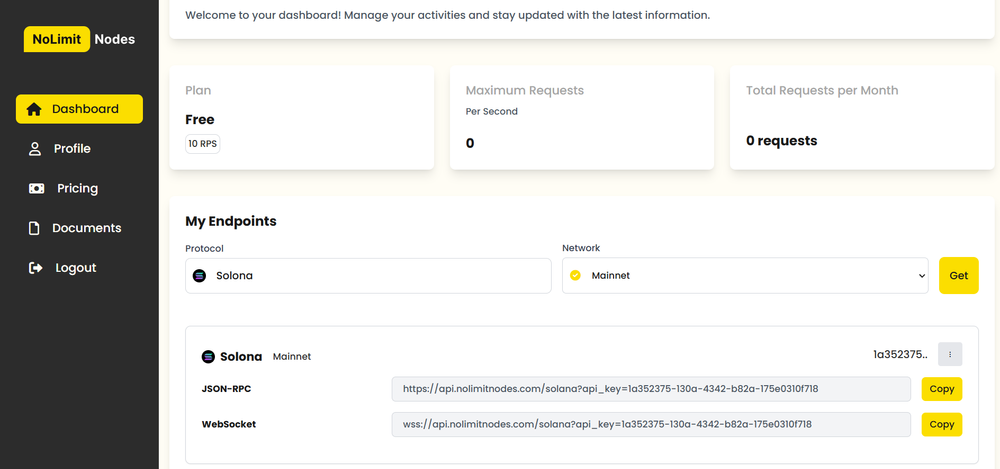
Click copy and note down your API key. You'll need it for the rest of this tutorial.
Understanding the Request Structure
Before writing any code, let's walk through what the WebSocket API requests and responses look like.
First, establish a WebSocket connection using:wss://api.nolimitnodes.com/pump-fun?api_key=YOUR_API_KEY
Once the socket connection is open, send this request:
{
    "method": "pumpFunCreateEventSubscribe",
    "params": {
        "eventType": "coin",
        "referenceId": "litrally-anything-here-to-use-as-reference"
    }
}
The server should confirm that the subscription was successful, like this:
{
    "status": "Create Event Subscribed",
    "subscription_id": "9c37a3e8-d39b-497c-902d-162e19a0bcda",
    "reference_id": "litrally-anything-here-to-use-as-reference"
}
Once confirmed, you'll receive a continuous real-time stream of coins as they're created. Coin creation events arrive in this format:
{
  "method": "createEventNotification",
  "result": {
    "metadata": {
      "network": "solana",
      "chain": "mainnet-beta",
      "block": "308709941"
    },
    "timestamp": "1734713628",
    "name": "TRUMPCOIN",
    "symbol": "TRUMPCOIN",
    "uri": "https://ipfs.io/ipfs/QmSSme2anrzV4NWrofS3uzXTq9B1L5Jxy54FgvPcrAsrhe",
    "mint": "CWVtv9SQMVibEqzFBLy5FZdLhozzZzRDBbX9HGnypump",
    "bondingCurve": "HZzaNo92zpqqyTb3pBr5P9fAJ7GT9xnSAxygWLbgUV7X",
    "associatedBondingCurve": "BnNAk9AtBvQS3vmv9UpkEoAqPAC96PMUig9HtMdJescU",
    "creator_wallet": {
      "address": "91U3uKcD2EuC7eW8bbBtC7ftwrNpmgGmJQFpgBZbaBAB"
    },
    "event_type": "create_coin"
  },
  "subscription_id": "litrally-anything-here-to-use-as-reference"
}
Trade transactions work the same way. Establish a connection with:wss://api.nolimitnodes.com/pump-fun?api_key=YOUR_API_KEY
Once the socket is open, send this request to subscribe to trade transactions for a specific coin:
{
    "method": "pumpFunTradeSubscribe",
    "params": {
        "coinAddress": "abcxxx...pump",
        "referenceId": "REF#1"
    }
}
To subscribe to all coins instead, send this:
{
    "method": "pumpFunTradeSubscribe",
    "params": {
        "coinAddress": "all",
        "referenceId": "REF#1"
    }
}
Note: The referenceId is simply a string value used to correlate requests with their corresponding responses.
After sending the request, you should receive confirmation that the subscription succeeded:
Response:
{
  "status": "Trade Subscribed",
  "subscription_id": "9d4a3756-f3de-464d-ae05-c36297984f90",
  "reference_id": "REF#1"
}
From then on you'll receive a continuous stream of transactions. The tradeEventNotification events come in this format:
{
  "method": "tradeEventNotification",
  "result": {
    "metadata": {
      "network": "solana",
      "chain": "mainnet-beta",
      "block": "308693304"
    },
    "timestamp": 1734706766,
    "type": "Buy",
    "price": { "sol": "0.0000000780" },
    "token_in": {
      "token": "So11111111111111111111111111111111111111112",
      "amount": 21340983
    },
    "token_out": {
      "token": "4HTXweoVWfRdXTpvrWCctdED6KUi7Ah1aGq76ubMpump",
      "amount": 273799880742
    },
    "wallet": {
      "address": "BNArZsgokea5BxYzhzB9BKqhz7C54fYWkL7CPSPCMP8X"
    }
  },
  "subscription_id": "9d4a3756-f3de-464d-ae05-c36297984f90"
}
Writing the Code
Fire up your favourite IDE (I use PyCharm) and create a new script called trading_bot_pumpfun.py.
Start with the imports:
import websocket
import json
import threading
Next, set the price thresholds the strategy runs on: the entry price, the take-profit target, and the stop-loss floor.
## Variables
buyPrice =        float(0.0000001000)  # When we pounce on that crypto goodness
takeProfitPrice = float(0.0000001500)  # Cha-ching! Time to cash out
stopLossPrice =   float(0.0000000800)  # Oops, time to bail!

url1 = "wss://api.nolimitnodes.com/pump-fun?api_key=YOUR_API_KEY"
Now tell the server exactly what we want: one subscription for newly created coins and one for trades across all coins.
# Subscription messages
subscribe_new_coin = {
    "method": "pumpFunCreateEventSubscribe",
    "params": {
        "eventType": "coin",
        "referenceId": "hello" # your unique reference id
    }
}

subscribe_pump_fun_trade = {
    "method": "pumpFunTradeSubscribe",
    "params": {
        "referenceId": "hello", # your unique reference id
        "coinAddress": "all"
    }
}
Two dictionaries hold state. Coins we're watching for an entry sit in one; coins we've "bought" and are waiting to exit sit in the other.
## Dictionaries to store data
buyDict = {}  # Key: mint address, Value: coin details
sellDict = {}  # Key: mint address, Value: coin details
Here's the core logic. The first handler records every newly created coin. The second checks each trade against the thresholds: when a watched coin trades between the buy price and the take-profit price, it moves from the buy list to the sell list, and from there it's closed out at either take-profit or stop-loss.
def on_message_new_coin(ws, message):
    global buyDict
    data = json.loads(message)

    if data.get("method") == "createEventNotification":
        coin_details = data["result"]
        coin_mint = coin_details["mint"]
        coin_name = coin_details["name"]
        coin_symbol = coin_details["symbol"]

        # Add coin to buyDict if it's not already there
        if coin_mint not in buyDict:
            buyDict[coin_mint] = {
                "name": coin_name,
                "symbol": coin_symbol,
                "details": coin_details
            }


def on_message_transaction(ws, message):
    global buyDict, sellDict
    data = json.loads(message)

    if data.get("method") == "tradeEventNotification":
        trade_details = data["result"]
        trade_token_out = trade_details["token_out"]["token"]
        trade_price = float(trade_details["price"]["sol"])

        # Handle buy condition
        if ((trade_token_out in buyDict) and (trade_price >= buyPrice) and (trade_price < takeProfitPrice)):
            coin = buyDict.pop(trade_token_out)
            sellDict[trade_token_out] = coin
            # print(f"sellDict {sellDict}");
            print(f"BUY  -  Condition met      : [{coin['symbol']}] at price [{trade_price:.10f}] (Address: {trade_token_out})")

        # Handle sell conditions
        else:
            if trade_token_out in sellDict:
                coin = sellDict[trade_token_out]

                # if trade_price > takeProfitPrice or trade_price < stopLossPrice:
                if buyPrice <= trade_price < takeProfitPrice:
                    print(f"SELL -  Target Achieved    : [{coin['symbol']}] at TakeProfit Price [{trade_price:.10f}] (Address: {trade_token_out})")
                    del sellDict[trade_token_out]
                elif trade_price < stopLossPrice:
                    print(f"SELL -  Stop loss triggered: [{coin['symbol']}] at StopLoss Price [{trade_price:.10f}] (Address: {trade_token_out})")
                    del sellDict[trade_token_out]
                else:
                    del sellDict[trade_token_out]

def on_error(ws, error):
    print(f"Error: {error}")

def on_close(ws, close_status_code, close_msg):
    print("WebSocket closed")

def on_open_new_coin(ws):
    print("New coin webSocket connection opened")
    ws.send(json.dumps(subscribe_new_coin))
    print(f"Subscription message sent (WS1): {subscribe_new_coin}")

def on_open_transcation(ws):
    print("Transaction webSocket connection opened")
    ws.send(json.dumps(subscribe_pump_fun_trade))
    print(f"Subscription message sent (WS2): {subscribe_pump_fun_trade}")
A small helper creates and runs each WebSocket connection:
## Function to create and run a WebSocket connection
def run_websocket(url, on_open, on_message):
    ws = websocket.WebSocketApp(
        url,
        on_message=on_message,
        on_error=on_error,
        on_close=on_close
    )
    ws.on_open = on_open
    ws.run_forever()
Finally, run both WebSockets in parallel with threads, so coin creation events and trade events are processed at the same time:
## Run both WebSockets in parallel using threading
thread_new_coin = threading.Thread(target=run_websocket, args=(url1, on_open_new_coin, on_message_new_coin))
thread_transaction = threading.Thread(target=run_websocket, args=(url1, on_open_transcation, on_message_transaction))

thread_new_coin.start()
thread_transaction.start()

thread_new_coin.join()
thread_transaction.join()
Want to run the bot? Follow these steps to get started with Replit:
- Click the "Open on Replit" button provided in the editor below.
- You'll be redirected to the Replit dashboard with the project name "Trading Bot with NolimitNodes".
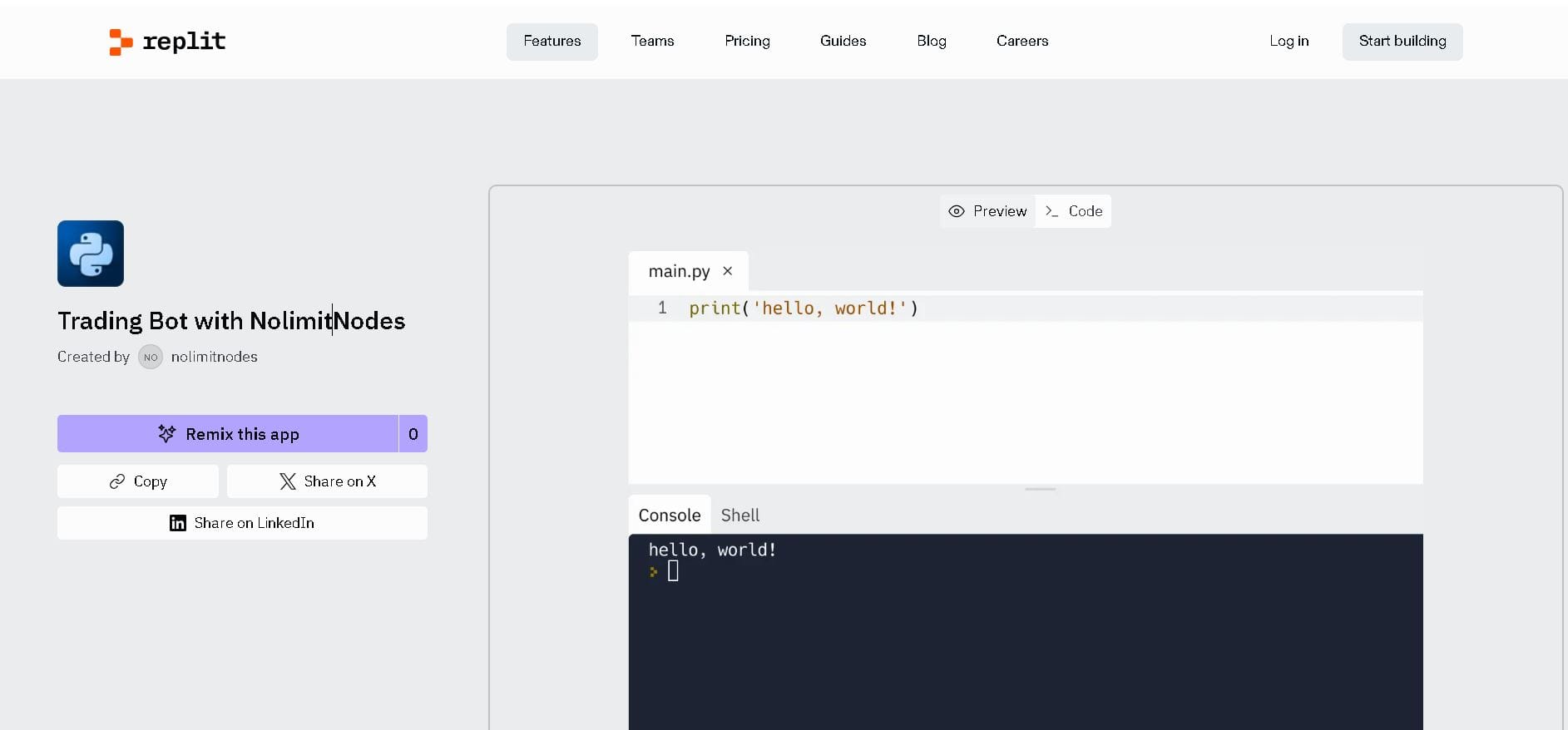
- Log in to Replit (or sign up if you don't have an account).
- Click the "Remix this app" button below the project name.
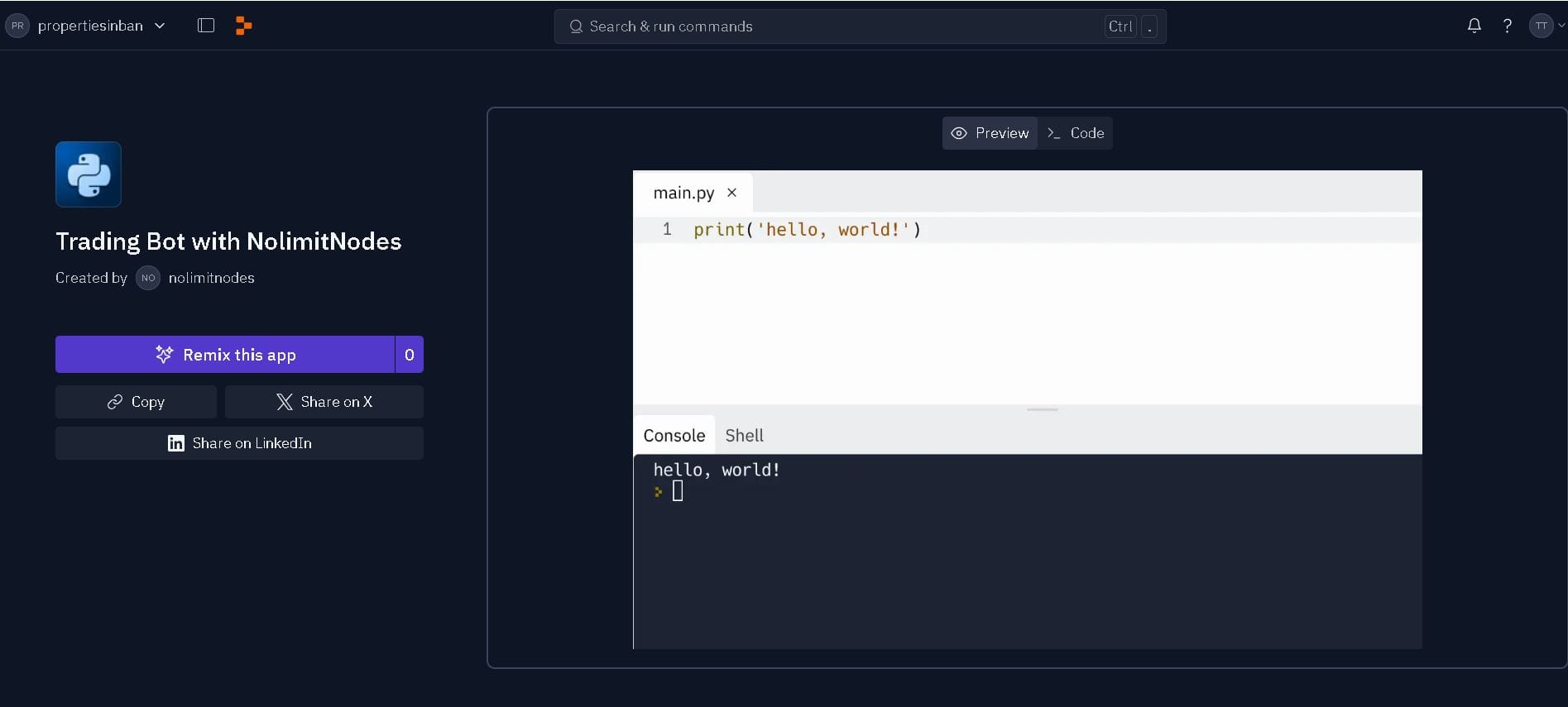
- Select your project preferences.
- The editor opens with the
main.pyfile. - Hit the Run button to see the user instructions.
- Check the right corner to find the file name containing the code.
- Remember to replace "YOUR_API_KEY" with your own key.
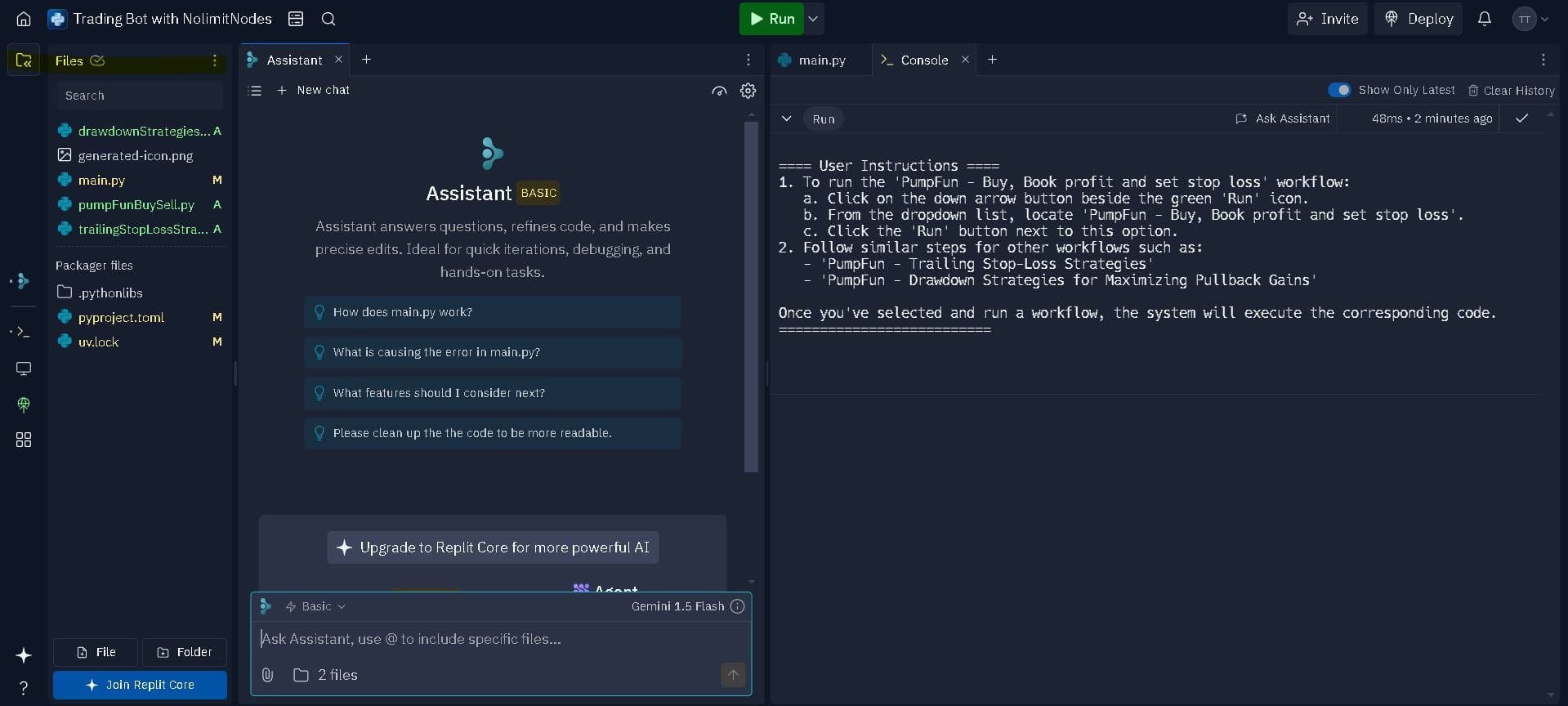
That's the bot set up and running.
Wrapping It Up
You've built a bot that sniffs out new coins on pump.fun, registers a buy when a coin crosses your designated buy price, and sells when your take-profit or stop-loss condition is met. Concretely, that gives you:
- Real-time detection of newly launched coins
- Automated buy-low, sell-high signaling
- Take-profit and stop-loss exits that protect gains and cap losses
The thresholds in this script are deliberately simple. Treat them as a starting point and tune them against live stream data before you trust them with anything real.
What's Next?
With the basics down, the next step is a trailing stop-loss, which protects profits by following the price up instead of sitting at a fixed exit. The follow-up tutorial is here: https://nolimitnodes.com/blog/mastering-pump-fun-with-websocket-a-tutorial-on-trailing-stop-loss-strategies/
Interested in exploring more of the pump.fun APIs? Head over to https://nolimitnodes.com/blog/pump-fun-websocket-build-a-real-time-crypto-trading-bot-with-nolimitnodes-price-data/ for more details.
If you need assistance or have any questions, you can email me at [email protected] and I'll get back to you, usually within a day.
Standard Solana subscriptions for account, program, slot, and transaction updates.
Decoded swaps, token lifecycle events, transfers, and system feeds.
Decoded Pump.fun launches, trades, graduations, and lifecycle events.
Every benchmark in this blog runs against our public endpoints.
Spin up an RPC, WebSocket, or gRPC endpoint in under a minute. Flat pricing, no request caps. Reproduce the numbers for your own workload.